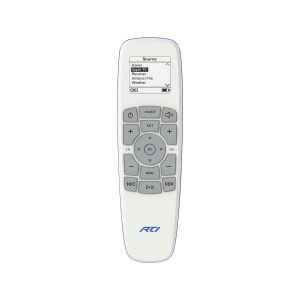
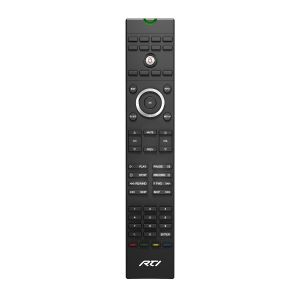
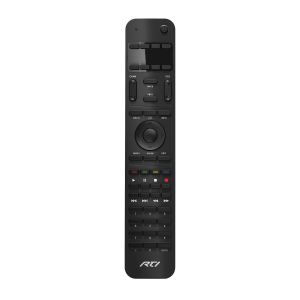
Integration Designer is a Windows®-based software package that is used to program RTI's Integration Control Systems. It allows unlimited flexibility in the design of your system's interface, and its advanced features dramatically reduce the time required to implement your designs.
Description
Integration Designer is a powerful, easy-to-use, Windows based software package that allows the entire RTI control system to be programmed from any PC. It provides a wide variety of powerful tools to make the programming process quick and easy.*
Integration Designer allows complete flexibility in the design of the controller screen. Several pre-defined button shapes are provided, and a complete set of editing tools is provided to create custom graphics for the display. Infrared codes can be added to any button by a simple drag-and-drop process. The Macro Editor provides a simple interface for allowing every button in the system to carry out complex multi-step actions.
Integration Designer also includes a powerful Infrared Library Manager, which allows infrared codes to be learned and stored for easy reuse in multiple systems. Updates to the included infrared library are continually being made available for download (dealer password required) .
The product of over ten years of development, Integration Designer is a central part of the RTI Integration Control system, not an afterthought. The software is continually being refined, and upgrades are available from the RTI web site (dealer password required).
* Integration Designer is only available to authorized RTI dealers.
What's New in Version Integration Designer
- Supports programming the for all currently shipping RTI products.
- Includes several complete professionally designed templates
- Supports capturing IR codes with the IR-PRO Professional Infrared Capture System
- Supports larger systems with multiple control system processors.
- Expanded standard IR and bitmap libraries
- USB communications makes updating remotes easier
Key Features
- Provides a central interface for defining all parameters needed for controlling the entire Integration system
- Contains several programming wizards to get you up and running quickly
- Allows programming to be uploaded from existing Integration systems and edited, in case the original program is lost or damaged
- Allows for complete flexibility on button size, shape, style, and labels placed on the LCD screen
- Infrared Library allows easy drag-and-drop programming of IR codes on every button
- RS232 Library allows easy drag-and-drop programming of RS232 codes on every button
- Includes libraries of predefined IR codes and bitmaps
- Macro Editor allows complex multi-step actions to be created on every button
- Allows easy reuse of design elements (pages, bitmaps, IR codes, etc.), simplifying the task of creating remotes for many clients
- Includes graphics editors for creating Custom Buttons and Bitmaps
- Infrared Library Manager allows infrared commands to be learned into libraries and stored for future use
- Preview mode allows rapid testing of designs right on the computer screen
System Requirements
- IBM or compatible personal computer
- Microsoft Windows 2000, Windows XP(32 bit), Windows Vista (32bit) or higher operating system running on a PC.
NOTE: Integration Designer will not run on Windows 95/98/ME and is not compatible with Windows emulator programs running on an Apple computer. - 64 Megabytes (MB) of RAM
- 150 Megabytes of free disk space for a minimum installation
200 Megabytes recommended for data files - A mouse or other pointing device is required
- 16 bit color monitor with 800x600 resoultion (16 bit color 1024x168 or better recommended, 256 colors not supported)
- Open USB port
- Optional printer for printing setup reports